
ABAC Actions
Actions are the building blocks of rules that define what happens when a rule's conditions are met. An action can be used in multiple rules.
Creating Actions
- Click the Manage Actions tab
- Click + New action
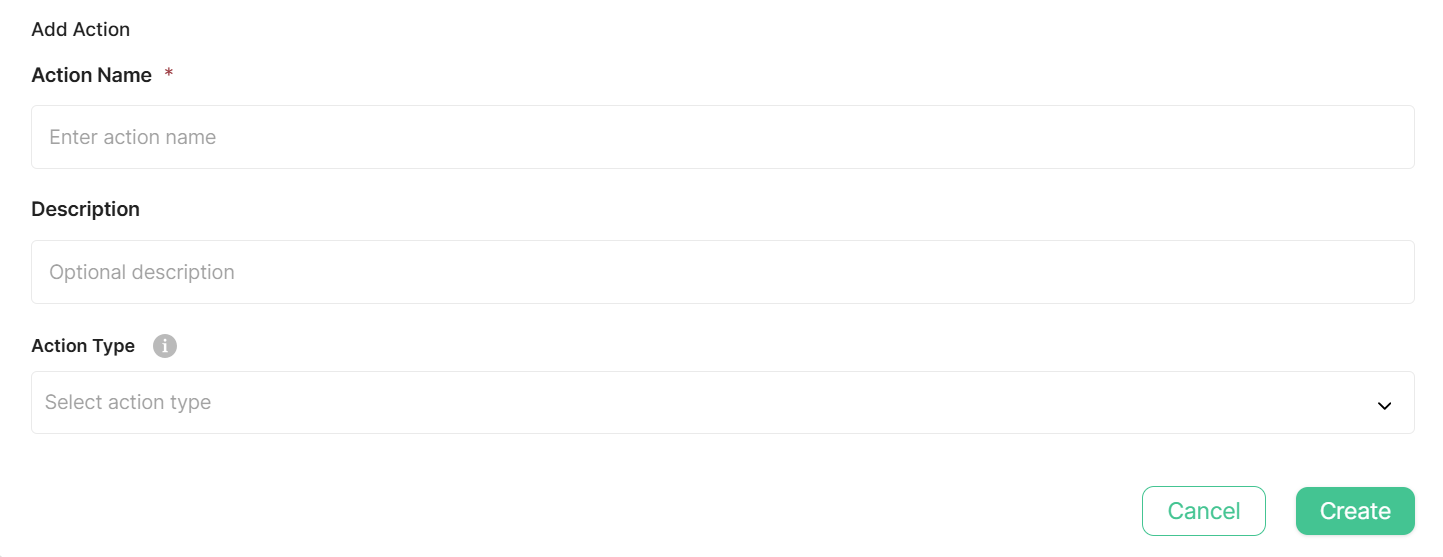
The Add Action dialog appears with the following fields:
- Action Name (required) - A descriptive name for your action.
- Description (optional) - Explain what this action does.
- Action Type (required) - Select the action type to use. Each action type has its own set of fields, shown below the Action Type dropdown once selected.
Deny Access
Deny Access blocks the API request and prevents the operation from executing. This is a built-in action and cannot be created; it's available to attach to rules only.
Filter By Reference Action
Selecting this type opens the Relationship Builder. The same builder used by Reference Condition - describing the path from Initiator to Filter:
- Initiator - the user who initiates the API call. Set its Seed Attribute - the attribute to start from (e.g.,
_id). - Filter - the filter added to search queries. Set its Filter Name - the attribute name the filter is added under.
By default, the Seed Attribute's value is added as the filter value directly under Filter Name, with no intermediate entities.
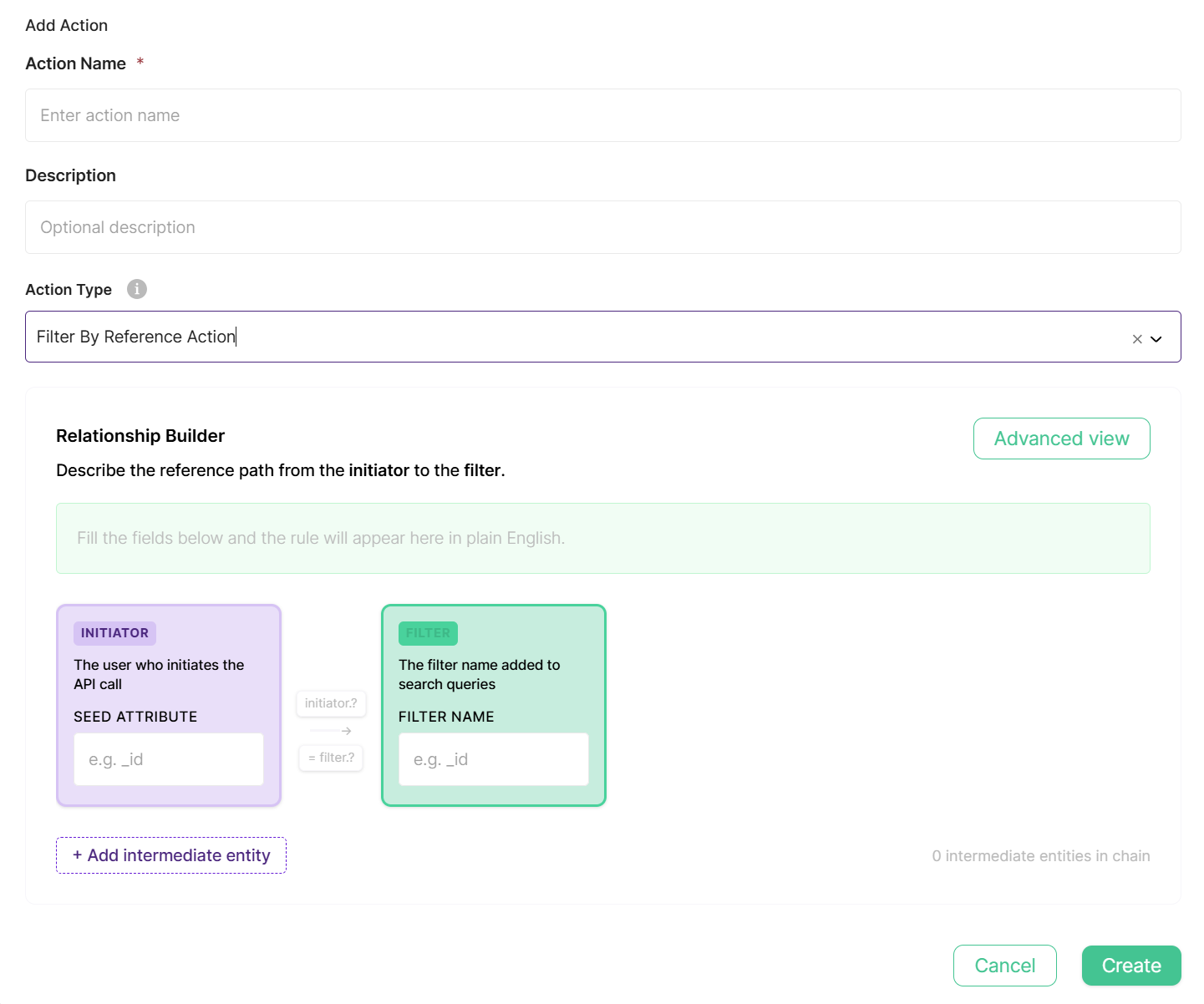
To resolve the filter value through one or more related entities first, click + Add intermediate entity. Each intermediate entity (hop) has:
- Entity Type (required) - the type of entity at this point in the path.
- Templates (optional) - restrict to specific template(s) of that entity type.
- Search By - the attribute on this entity type that must equal the previous step's value (the Initiator's Seed Attribute for the first hop, or the previous hop's Collect value for later hops).
- Collect - the attribute on the found entity whose value is carried forward — to the next hop's Search By, or, on the last hop, to the Filter Name value.
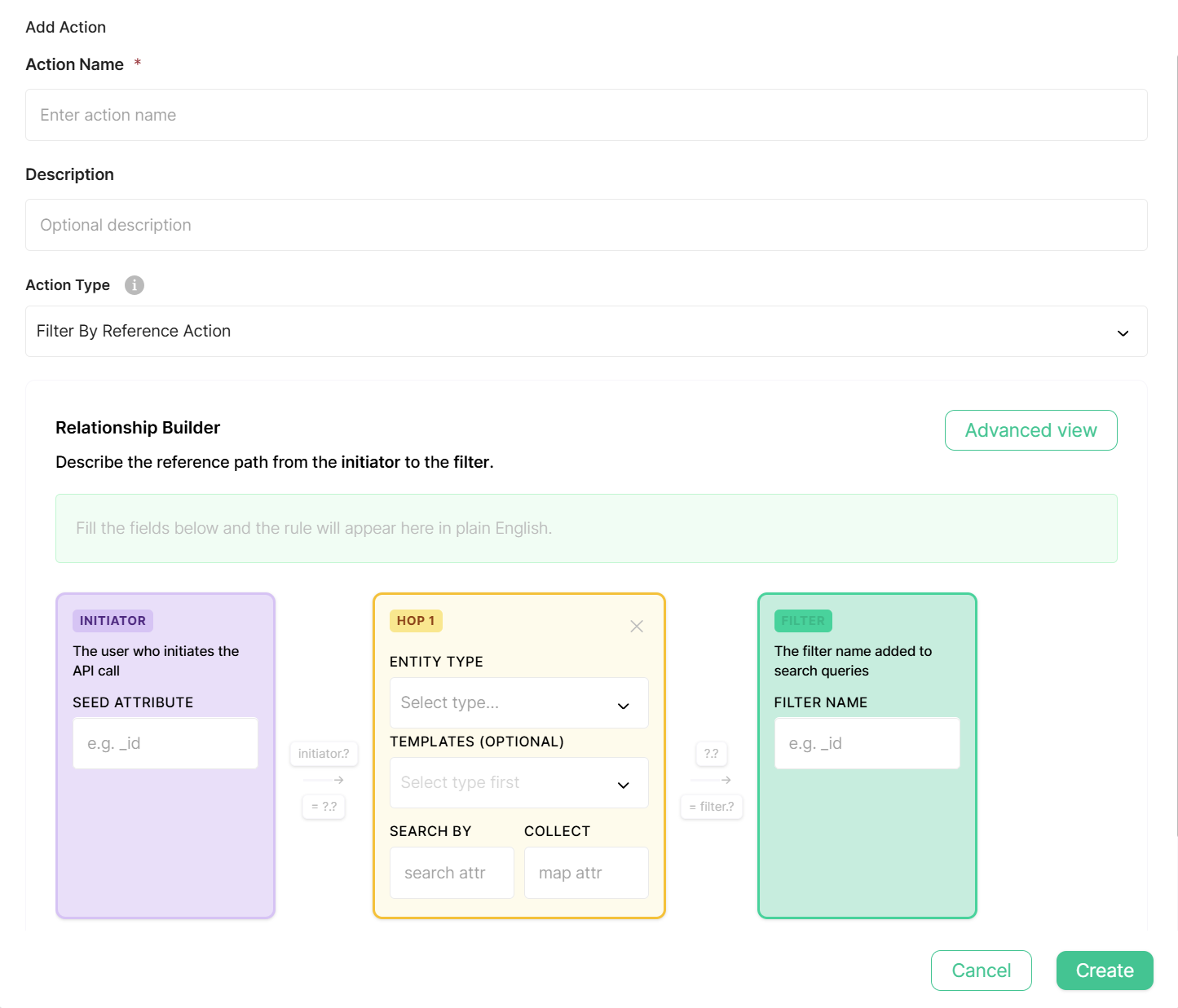
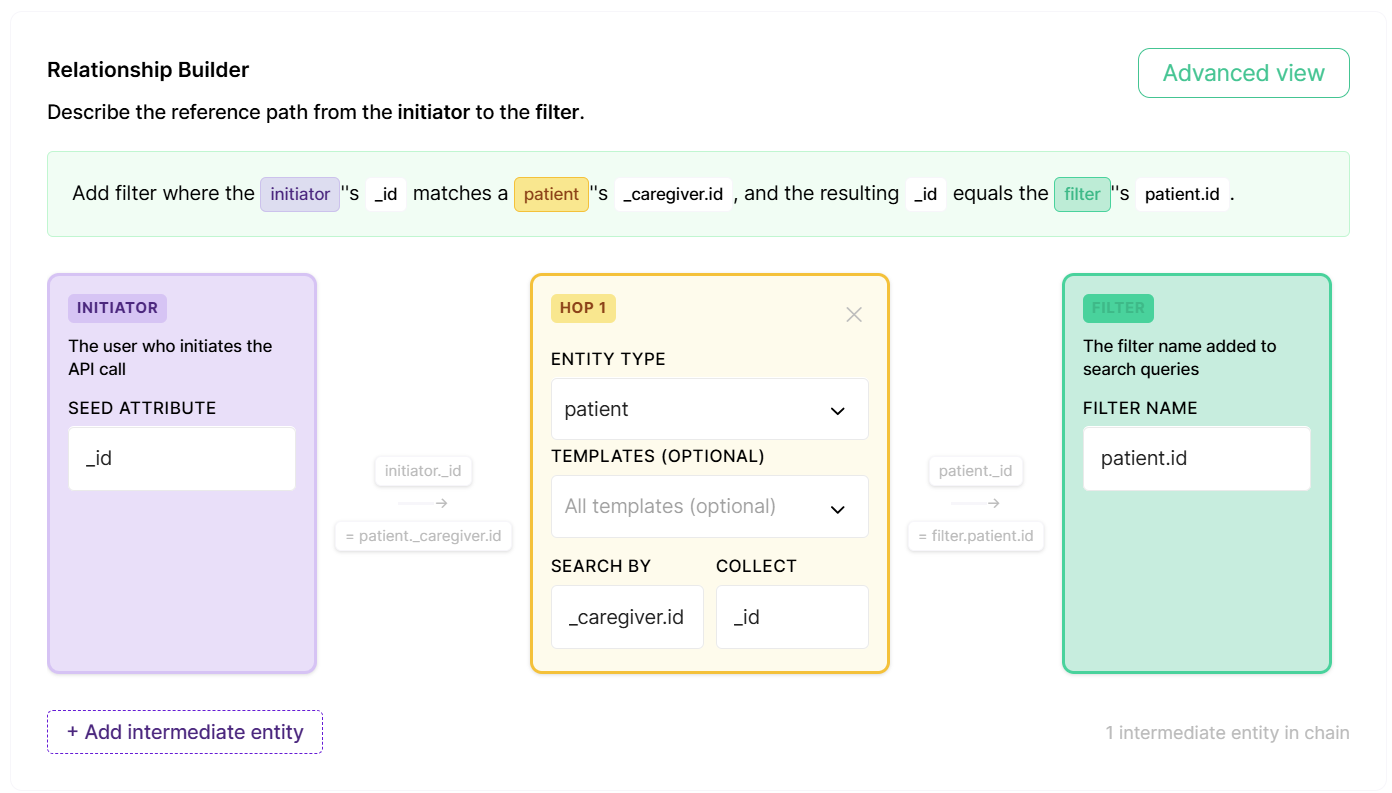
As you fill in the fields, a plain-English summary of the rule builds automatically. For example, a Seed Attribute of _id, one hop (Entity Type patient, Search By _caregiver.id, Collect _id), and Filter Name patient.id reads:
"Add filter where the initiator's
_idmatches a patient's_caregiver.id, and the resulting_idequals the filter'spatient.id."
In practice, this adds a patient.id filter to the request, scoped to the patient linked to the calling caregiver — so a caregiver only sees devices or records belonging to their own patients.
Managing Existing Actions
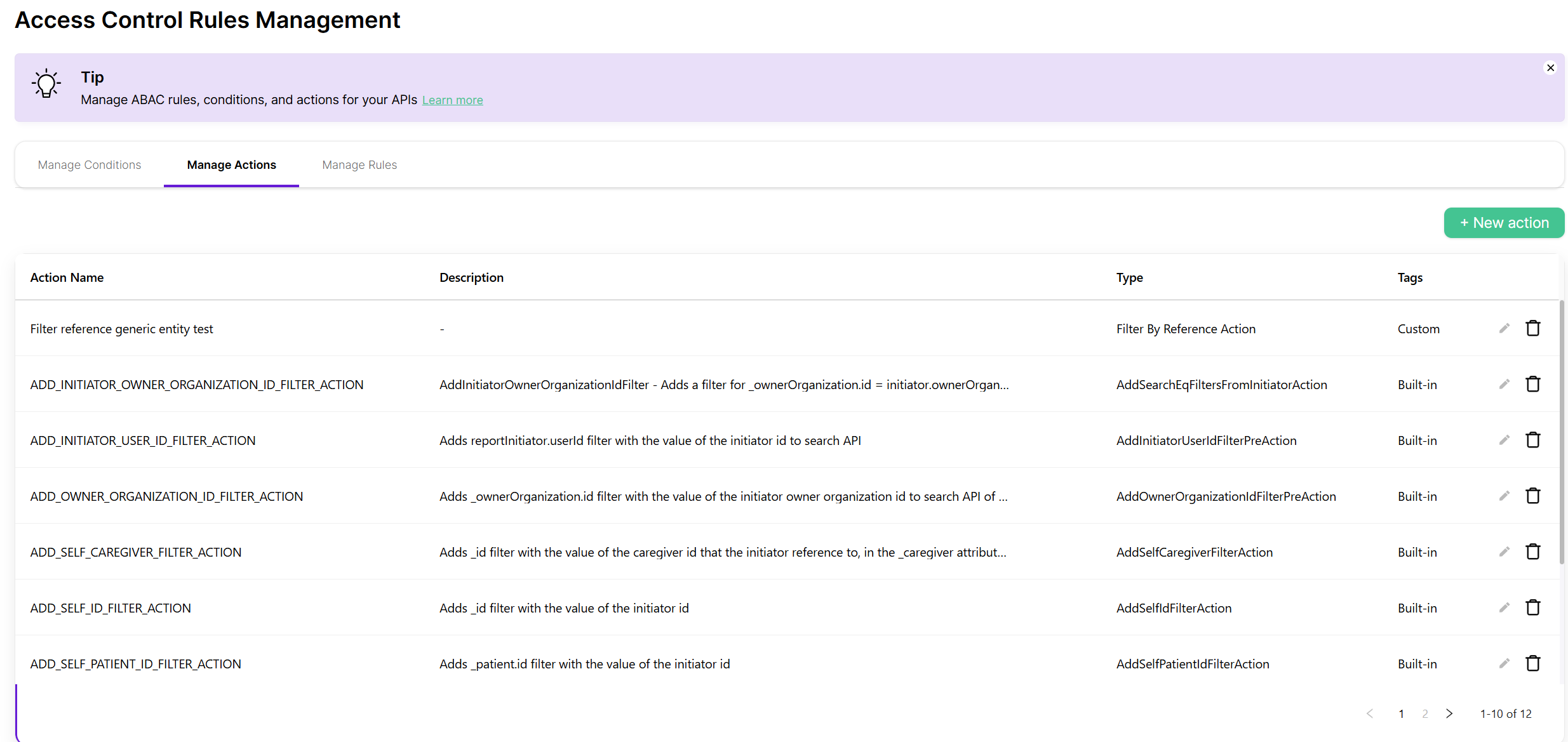
The Manage Actions tab shows all available actions in your environment. Each action displays:
- Action Name - The action's identifier
- Description
- Type - The action type
- Tags - Built-in / Built-in - Modified / Custom
Updated 3 months ago