
Platform Technical Information
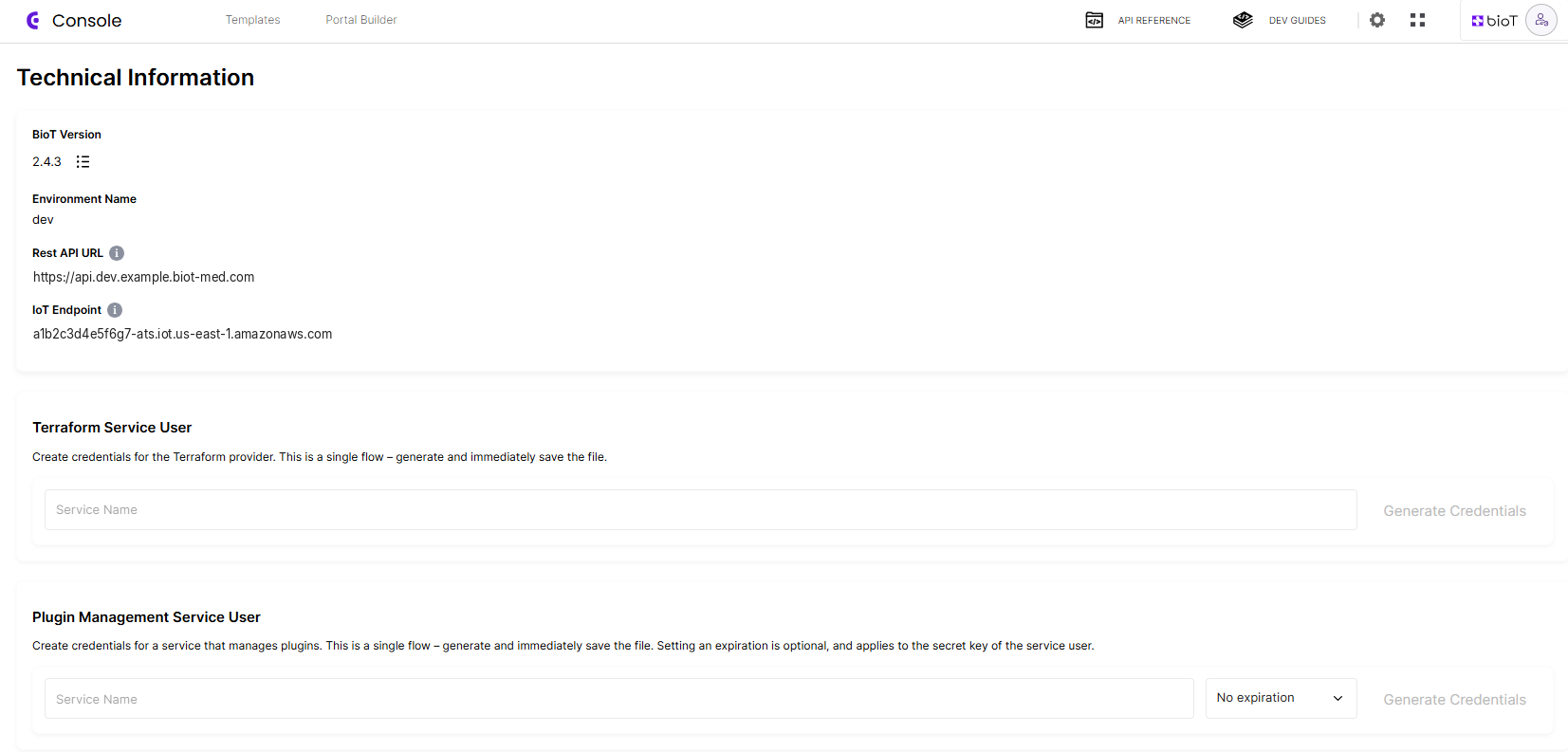
Platform technical details are available in the BioT Console under the Settings menu (⚙).
This page provides the key values needed to connect devices, portals, and automation tools to your BioT environment:
- BioT platform version
- Environment name (e.g., dev, staging, prod)
- REST API and IoT endpoints
- Terraform service user credentials (when needed)
- Plugin management service user credentials (when needed)
These values are unique per environment and should always be copied from this screen when integrating client applications or devices.
Connection Endpoints
The following endpoints are displayed in the Technical Information page for connecting portals and devices to your BioT environment:
| URL | Port | Protocol |
|---|---|---|
api.<customer>.biot-med.com | 443 | HTTPS |
<prefix>.amazonaws.com | 8883 | MQTTS |
<prefix>.s3.amazonaws.com | 443 | HTTPS |
Terraform Service User
For customers managing environment configuration through Terraform, credentials for the Terraform Provider can be created directly in this screen.
- This is a one-time credential file. Save it immediately
- These credentials allow Terraform to authenticate with BioT
- You can create separate service users for different environments if needed
More details and a complete setup guide are available in the Terraform Guide.
Plugin Management Service User
For customers who deploy and manage plugins from a CI/CD pipeline, credentials for a plugin management service user can be created directly in this screen. This service user has a dedicated role limited to plugin management (creating, updating and deleting plugins), so plugin deployment does not require a service user with broader permissions.
- Enter a service name and, optionally, how long the secret key stays valid: 7, 30, 60, 90 or 180 days, a custom number of days, or no expiration
- This is a one-time credential file. Save it immediately
- If you set an expiration, rotate the secret key before it expires using the Self Service User API
Updated 27 days ago